> For the complete documentation index, see [llms.txt](https://awecommerce.gitbook.io/awe-color-swatches/llms.txt). Markdown versions of documentation pages are available by appending `.md` to page URLs; this page is available as [Markdown](https://awecommerce.gitbook.io/awe-color-swatches/getting-started/product-groups/reposition-swatches.md).
# Reposition swatches on the product page
Move the product-group swatches anywhere on your product page.
By default, the app picks a spot on your product page and shows the product-group swatches there — no setup needed. To put them somewhere else (above the price, under the description, next to Add to cart…), add the **AWE Product Groups** app block and drag it into place.
## 🛠️ Steps
{% stepper %}
{% step %}
### Open your theme editor
Go to **Online Store** → **Themes** → **Customize**, and open a **product** template.
{% endstep %}
{% step %}
### Add the block
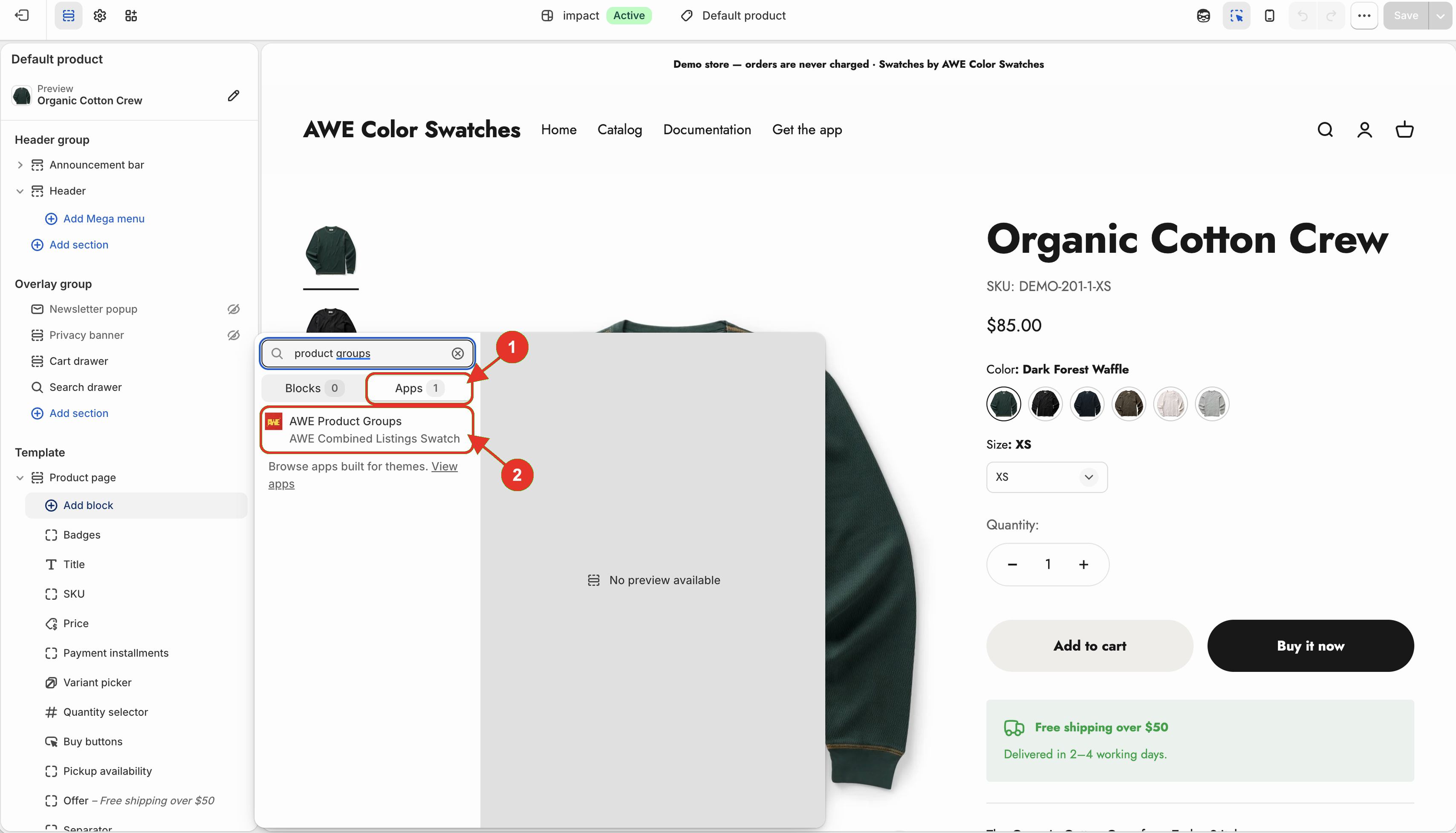
In the section that holds your product details, click **Add block** → **Apps** → **AWE Product Groups**.
1. Open the Apps tab. 2. Choose AWE Product Groups.
{% endstep %}
{% step %}
### Move it and save
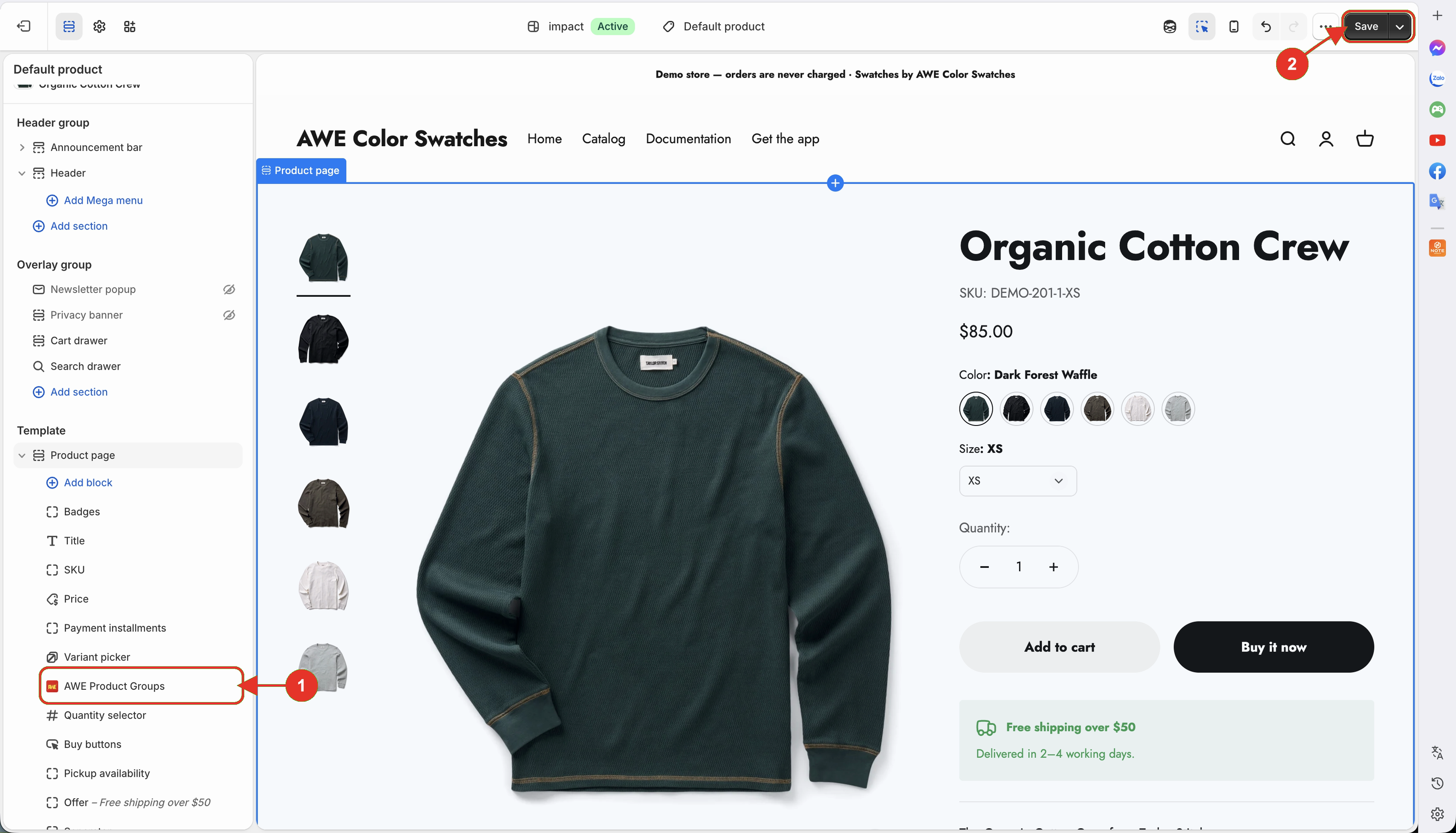
Drag the block to where you want the swatches, then click **Save**.
1. Drag the AWE Product Groups block into position. 2. Save the theme.
{% endstep %}
{% endstepper %}
## How it works
* The block marks the spot — the swatches show inside it instead of their default place.
* Remove the block any time to go back to the default position.
* The block has no settings of its own.
{% hint style="info" %}
The block only works while the **AWE Combined Listings Swatch** app embed is on. See [Enable the app embed](/awe-color-swatches/getting-started/enable-app-embed.md).
{% endhint %}
→ *Want to move the option swatches (Color, Size…) above or below your title, price or buy buttons? Go to **Settings** → **Change variants position** and our team sets it up for you.*
***
💬 If you have any related questions, please contact us via **Live chat** in the app.