> For the complete documentation index, see [llms.txt](https://awecommerce.gitbook.io/awe-color-swatches/llms.txt). Markdown versions of documentation pages are available by appending `.md` to page URLs; this page is available as [Markdown](https://awecommerce.gitbook.io/awe-color-swatches/getting-started/enable-app-embed.md).
# Enable the app embed
Turn on the AWE app embed in your theme so swatches can show.
Swatches only show on your store once the **AWE Combined Listings Swatch** app embed is on in your theme. It's a one-time step right after installing.
## 🛠️ Steps
{% stepper %}
{% step %}
### Open the setup guide
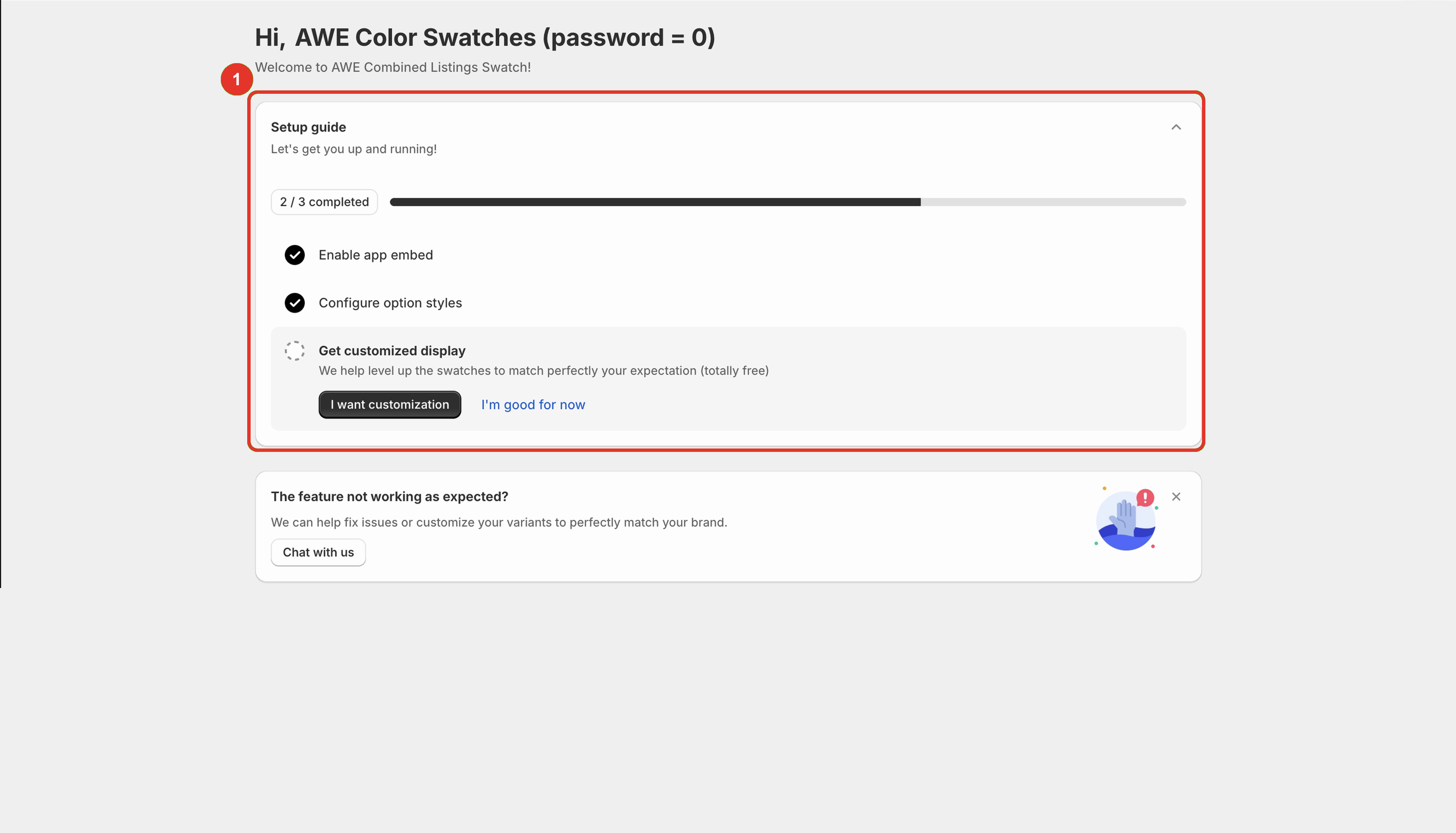
In the app, go to **Home**. In the **Setup guide**, open **Enable app embed** and click **Activate app**.
→ *You can also click **Activate** on the "AWE Combined Listings Swatch app is not activated yet." banner.*
→ *If the Setup guide already shows **3 / 3 completed**, the app embed is already enabled for the published theme and you can skip to* [*Set up your first swatches*](/awe-color-swatches/getting-started/set-up-your-first-swatches.md)*.*
{% endstep %}
{% step %}
### Switch the app on
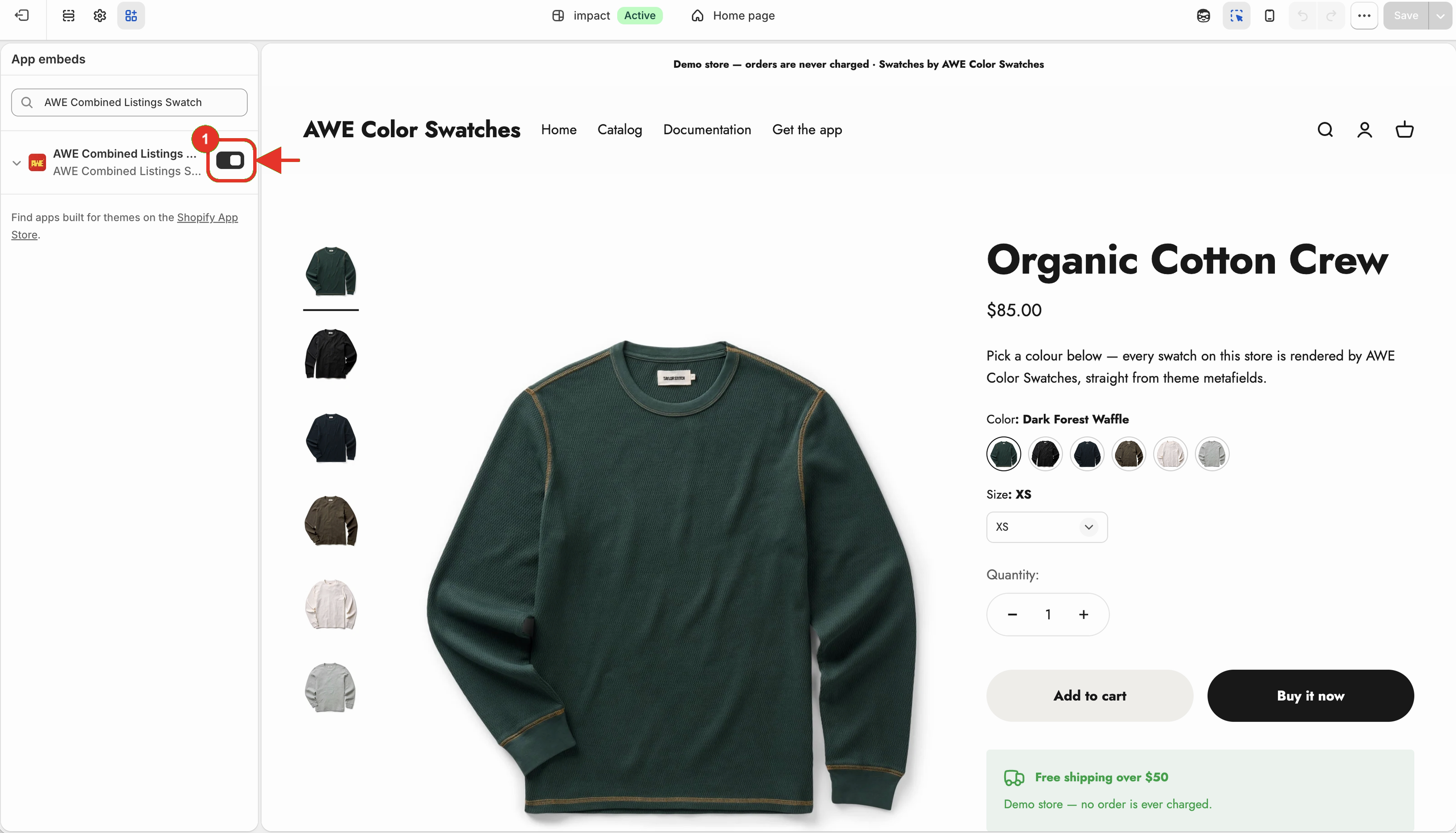
Your theme editor opens on **App embeds**. Turn on **AWE Combined Listings Swatch**.
{% endstep %}
{% step %}
### Save
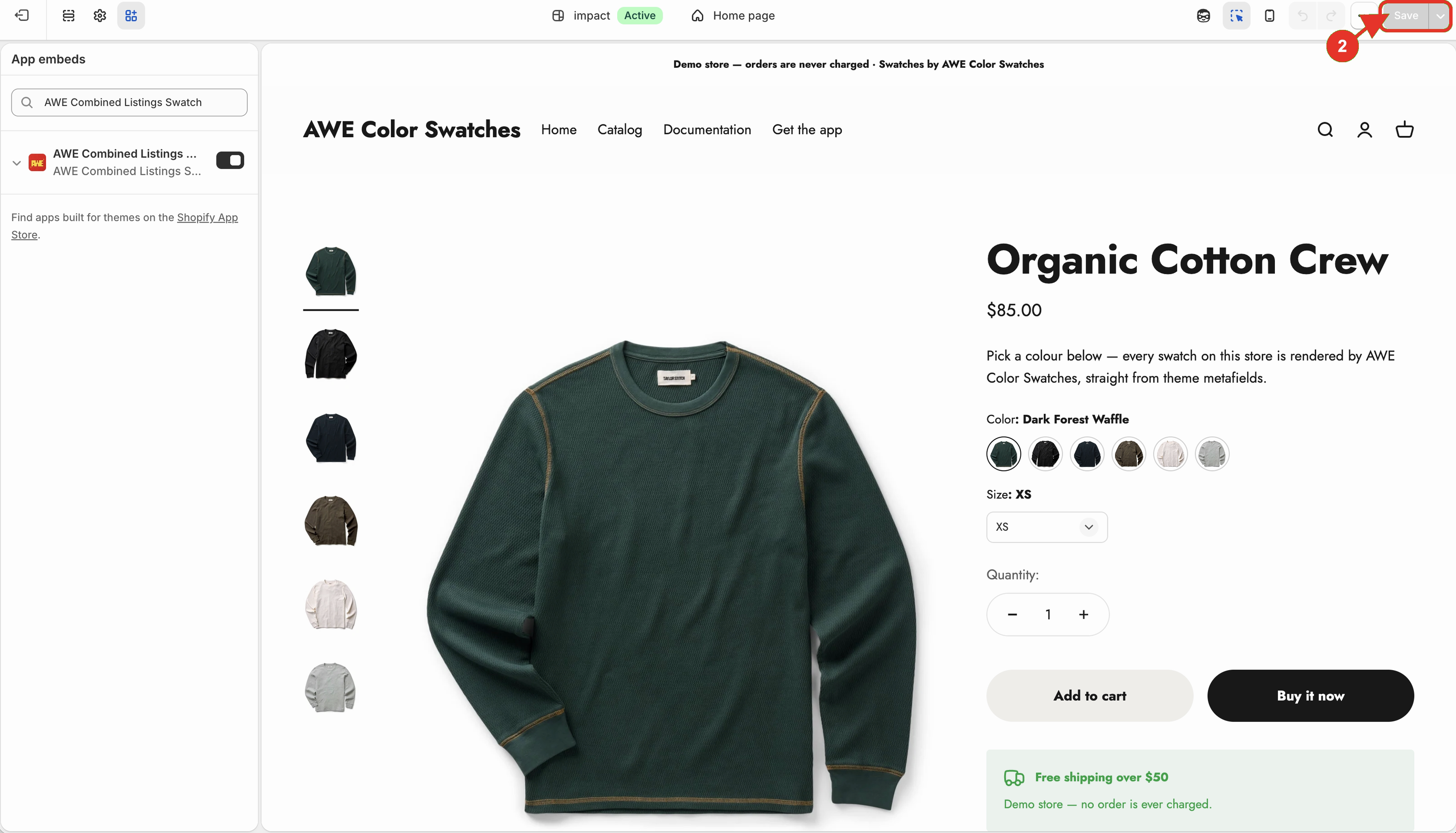
Click **Save** in the top right corner of the theme editor.
{% endstep %}
{% step %}
### Come back to the app
Return to the app tab — the step is ticked by itself. If the banner is still there, click **I have done it**.
{% endstep %}
{% endstepper %}
{% hint style="info" %}
The app checks your **published** theme. Turning the embed on in a draft theme doesn't count — turn it on again after you publish a new theme.
{% endhint %}
***
💬 If you have any related questions, please contact us via **Live chat** in the app.