> For the complete documentation index, see [llms.txt](https://awecommerce.gitbook.io/awe-color-swatches/llms.txt). Markdown versions of documentation pages are available by appending `.md` to page URLs; this page is available as [Markdown](https://awecommerce.gitbook.io/awe-color-swatches/getting-started/design/compact-display-on-collection-cards.md).
# Compact display on collection cards
Show a few swatches with "+N", a scrolling row, or all of them on product cards.
When a product has lots of options, swatches can crowd your collection, search and home-page cards. **Compact display** keeps those cards tidy.
To get started:\
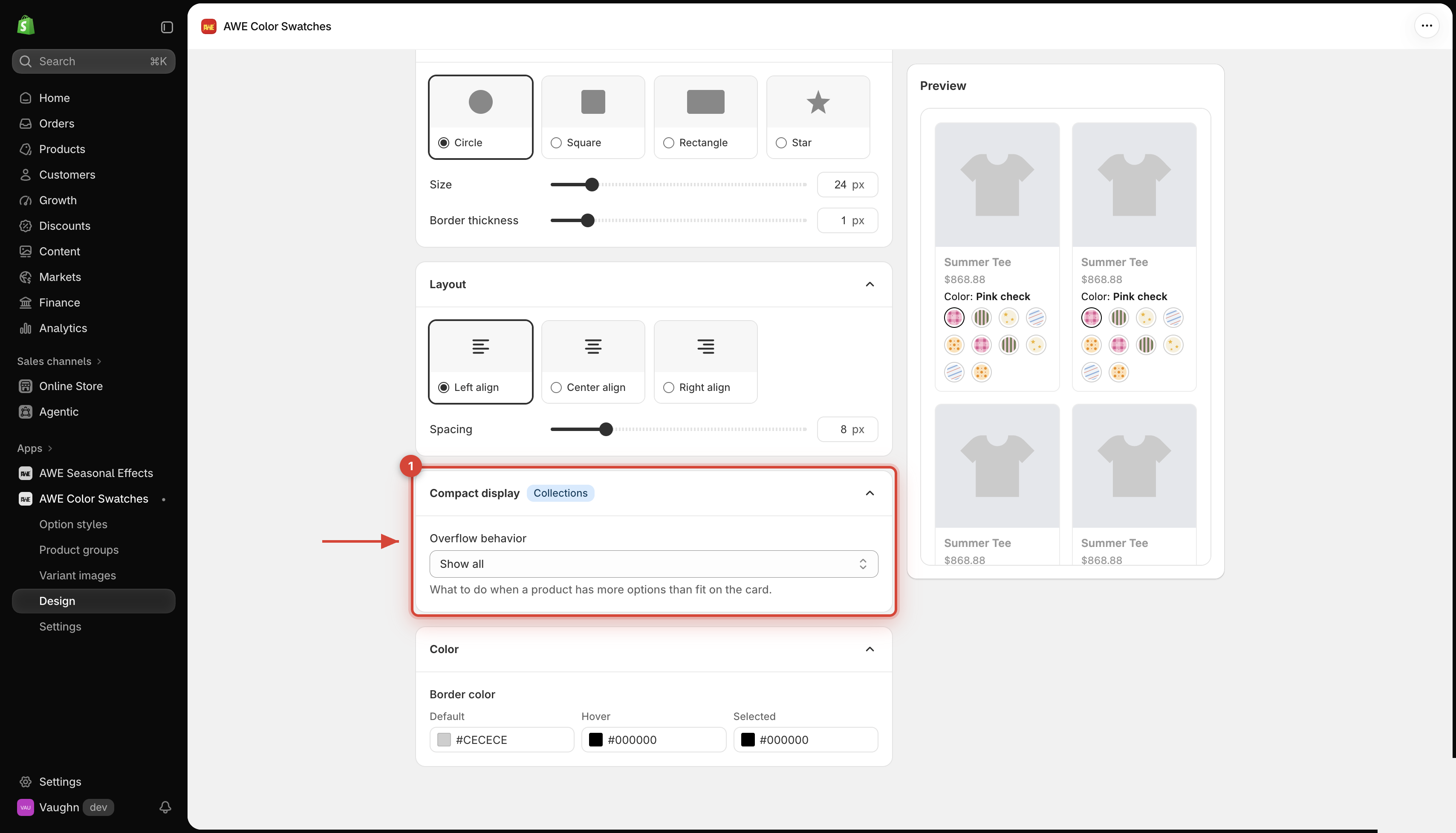
**Design** → **Swatch**, **Card** or **Button** → **Custom** → **Collection page** tab → open **Compact display**.
{% hint style="info" %}
Compact display is on the **Collection page** tab only, for the **Swatch**, **Card** and **Button** styles. The product page always shows every option, and the Dropdown style is already compact.
{% endhint %}
***
## 1. **Overflow behavior**
What to do when a product has more options than fit on the card:
Show all (default)
Every swatch shows. Extra swatches wrap onto more rows.
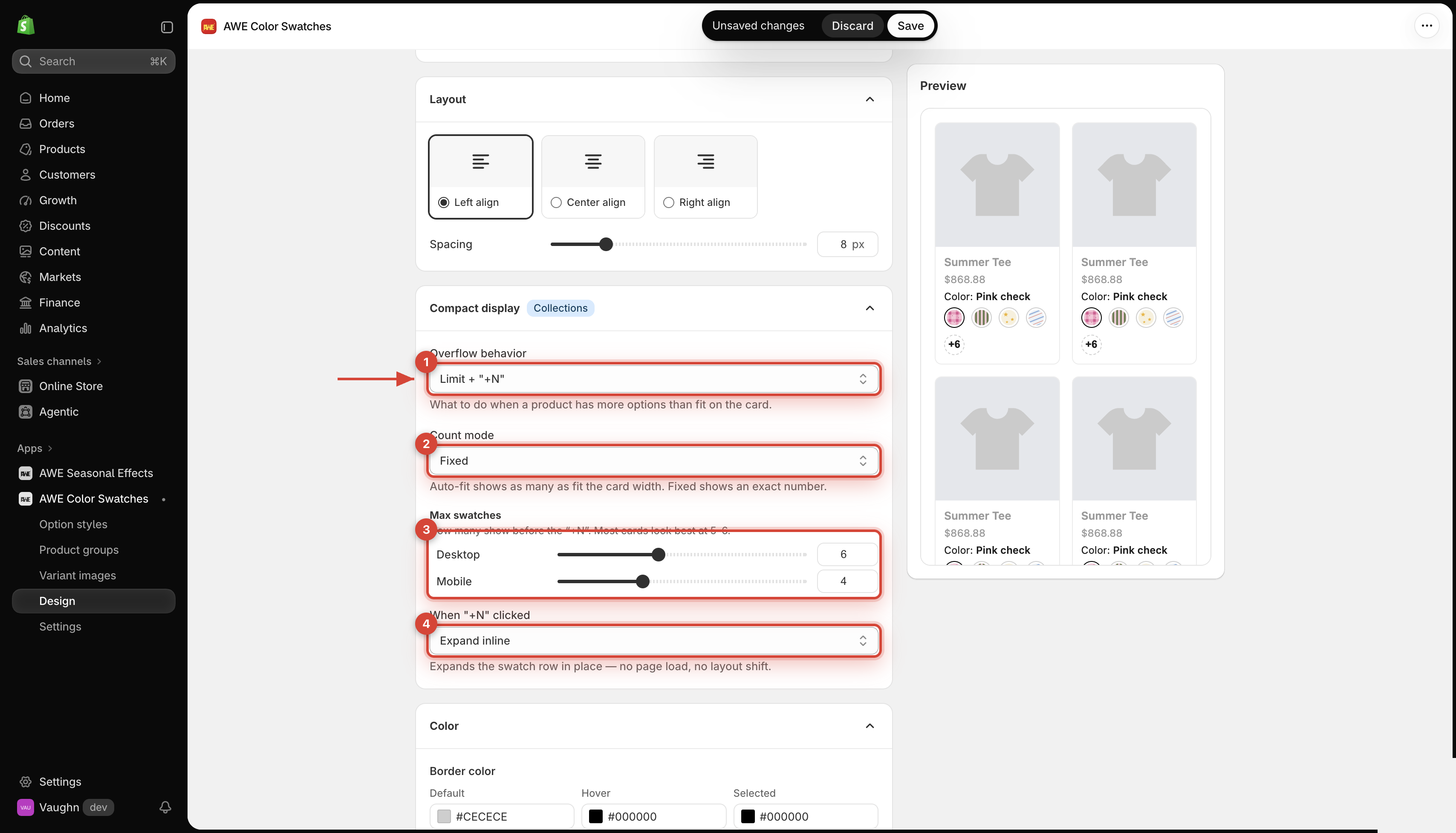
Limit + "+N"
Show a set number of swatches, then a +N chip for the rest.
Great for: busy grids with many colors per product.
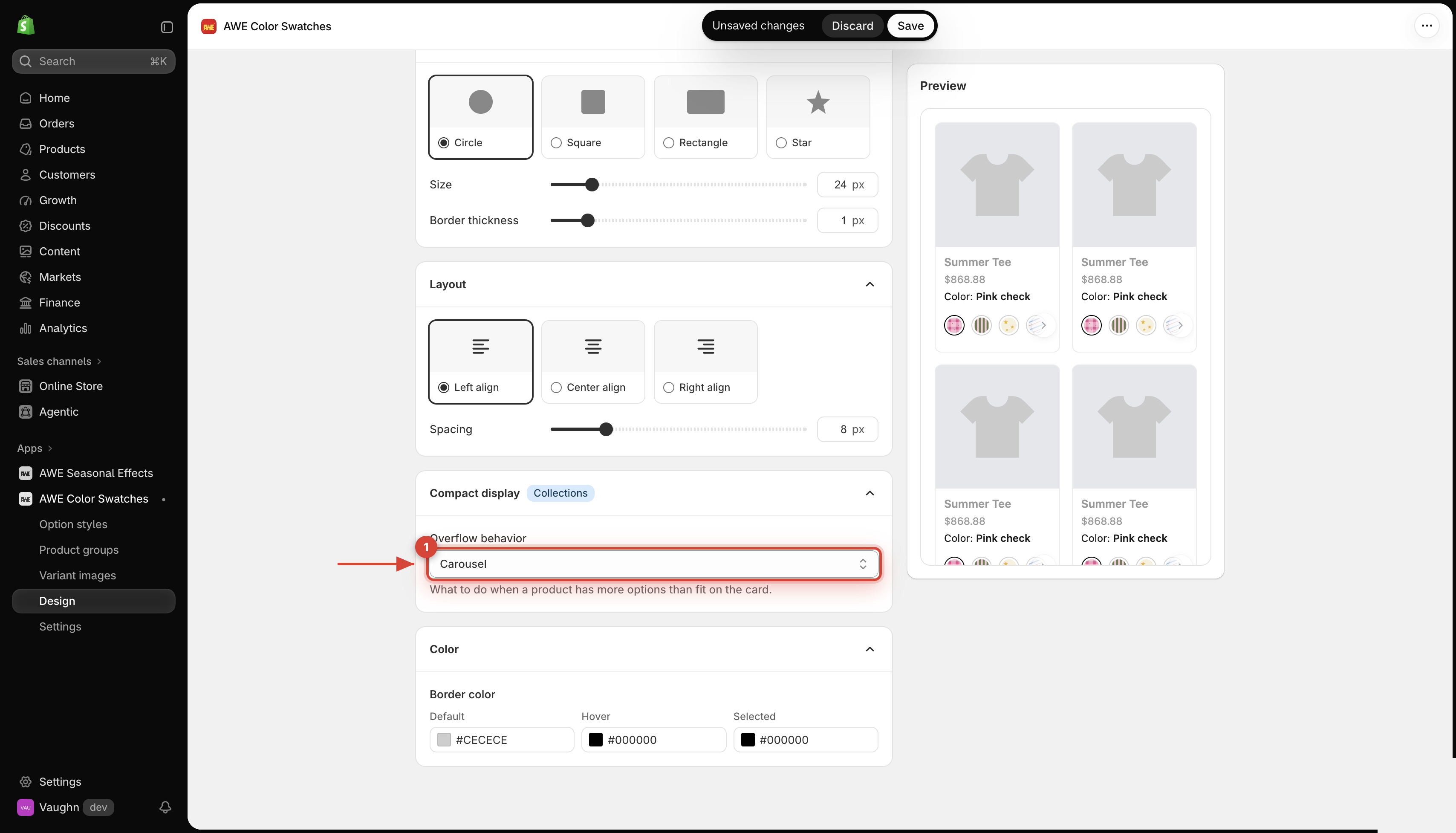
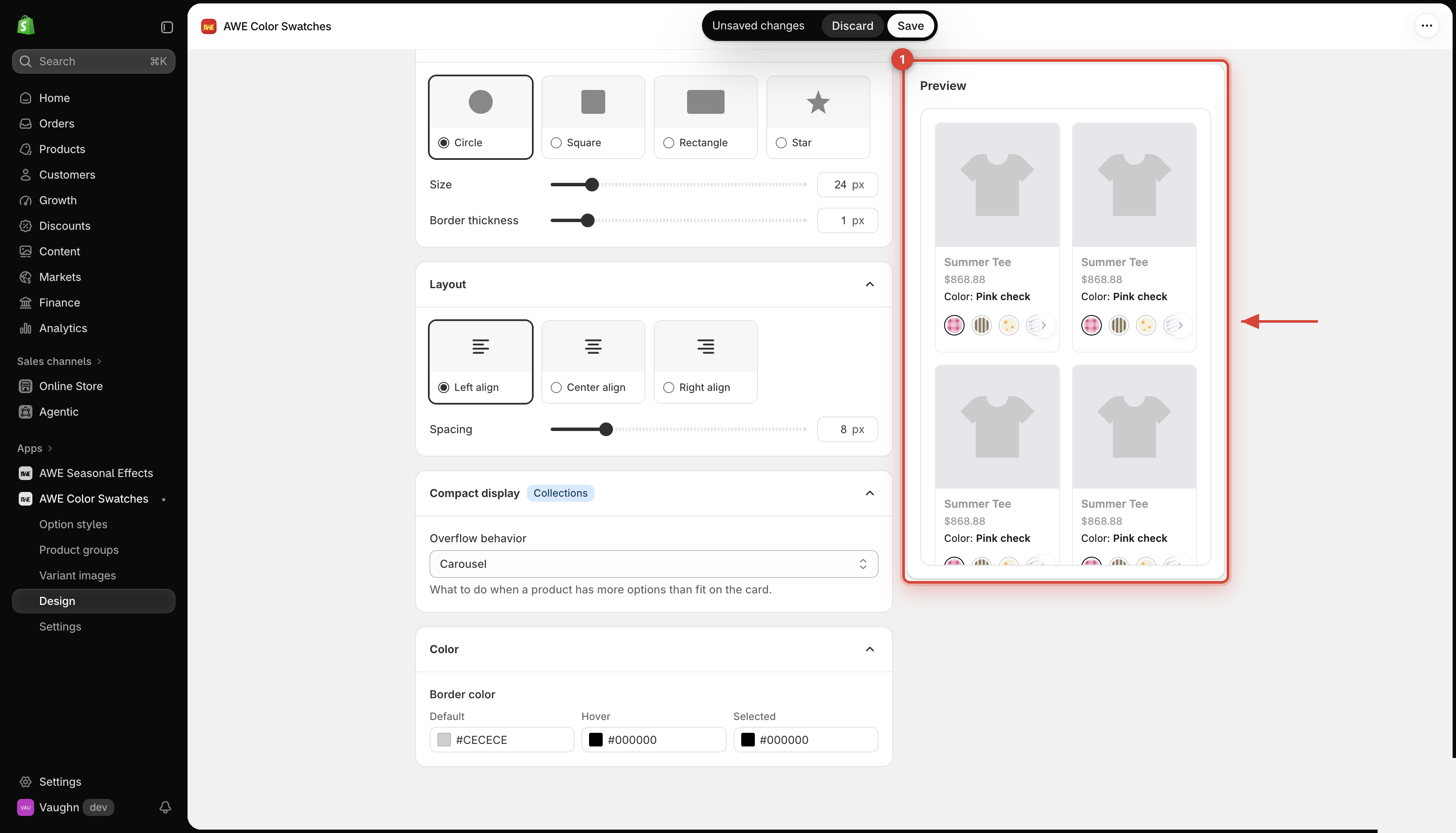
Carousel
Every swatch sits on one row that scrolls sideways. Arrows appear only when the row overflows.
Shoppers use the arrows, drag with the mouse, or swipe on mobile.
## 2. **Limit + "+N" settings**
1. Overflow behavior. 2. Count mode. 3. Desktop and mobile limits. 4. Action when shoppers select +N.
### **2.1 Count mode**
* **Fixed** (default) — you set an exact number.
* **Auto-fit** — shows as many as fit the card width.
### **2.2 Max swatches**
How many show before the **+N** (for **Fixed**). Most cards look best at 5–6.
* **Desktop**: 2–12 (default 6)
* **Mobile**: 2–8 (default 4)
→ *Mobile means a screen 767 px wide or less.*
### **2.3 When "+N" clicked**
Expand inline (default)
Opens the rest of the swatches right on the card — no page load, no layout shift. The chip turns into − (or Show less for buttons) to collapse again.
Show in popover
Opens a small panel with the remaining options — on hover on desktop, on tap on mobile.
Go to product
Takes the shopper to the product page to see every option.
## 3. **Good to know**
* If a product has fewer options than your limit, no **+N** appears.
* Values hidden by **Sold-out variant display → Hidden** are not counted in **+N**.
* One setting covers every product card — collections, search results, the home page and related products.
***
💬 If you have any related questions, please contact us via **Live chat** in the app.