> For the complete documentation index, see [llms.txt](https://awecommerce.gitbook.io/awe-color-swatches/llms.txt). Markdown versions of documentation pages are available by appending `.md` to page URLs; this page is available as [Markdown](https://awecommerce.gitbook.io/awe-color-swatches/getting-started/design/button.md).
# Button
Shape, size and colors of text buttons like S, M, L.
The **Button** design is used for text options like sizes — **S**, **M**, **L**.
To get started:\
**Design** → **Button** → **Custom**. Pick the **Product page** or **Collection page** tab.
***
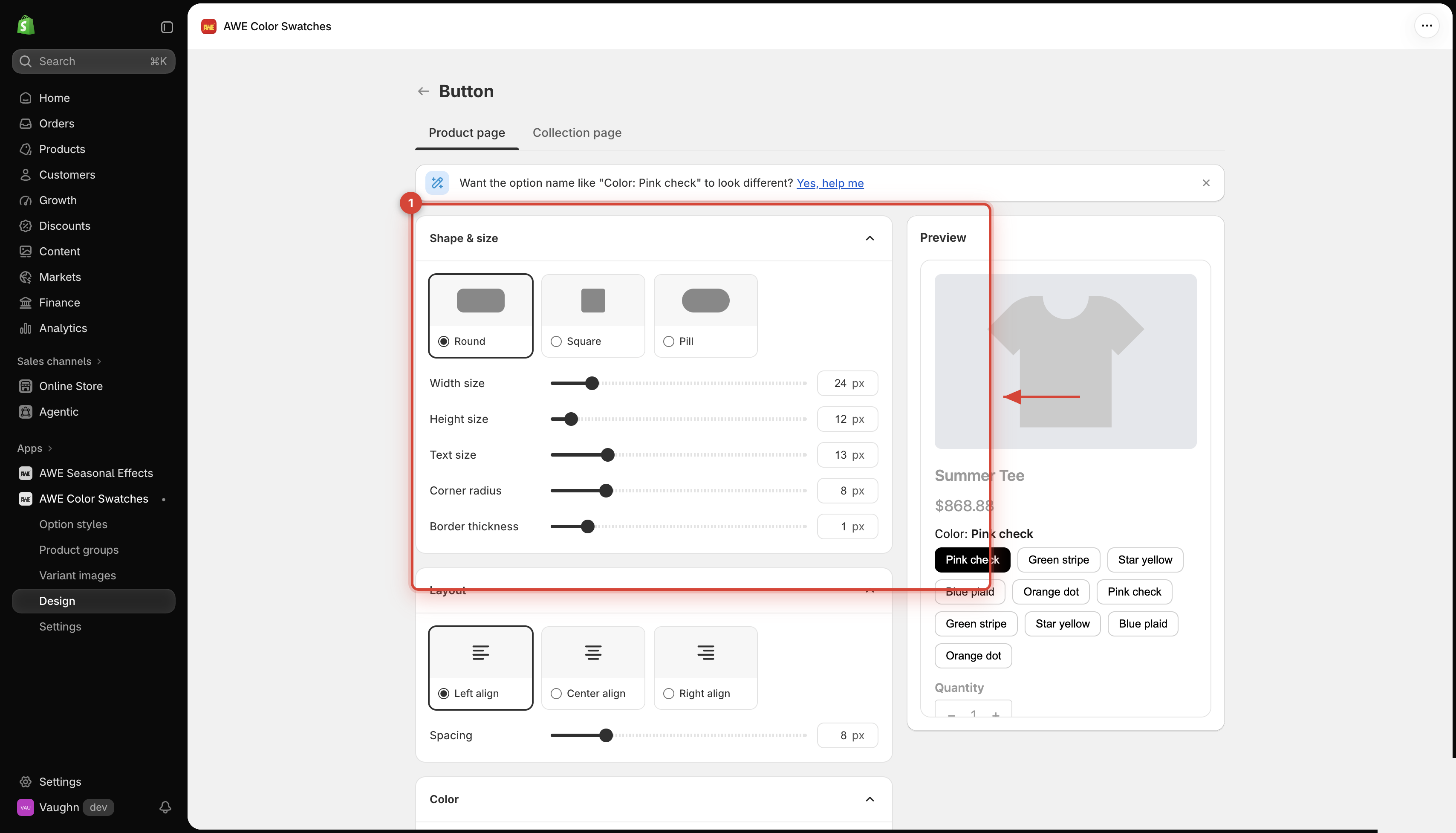
## 1. **Shape & size**
### **1.1 Shape**
**Round** (default), **Square** or **Pill**.
### **1.2 Size**
Size
For Square: 8–120 px.
Width size / Height size
For Round and Pill: width 8–120 px (default 24), height 8–80 px (default 12).
These are minimums — a button grows to fit its label, so text is never cut off.
Text size
8–32 px (default 13).
Corner radius
For Round and Square: 0–40 px (default 8). A Pill is always fully rounded.
Border thickness
0–8 px (default 1).
## 2. **Layout**
* **Alignment**: **Left** (default), **Center** or **Right**.
* **Spacing**: 0–40 px (default 8).
## 3. **Compact display**
Only on the **Collection page** tab — see [Compact display on collection cards](/awe-color-swatches/getting-started/design/compact-display-on-collection-cards.md).
## 4. **Color**
Each color has 3 states — **Default**, **Hover** and **Selected**:
* **Border color** (default `#CECECE` / `#000000` / `#000000`)
* **Background color** (default white, then black on hover and selected)
* **Text color** (default black, then white on hover and selected)
***
💬 If you have any related questions, please contact us via **Live chat** in the app.